// Case study
Canva AI MCP connectors
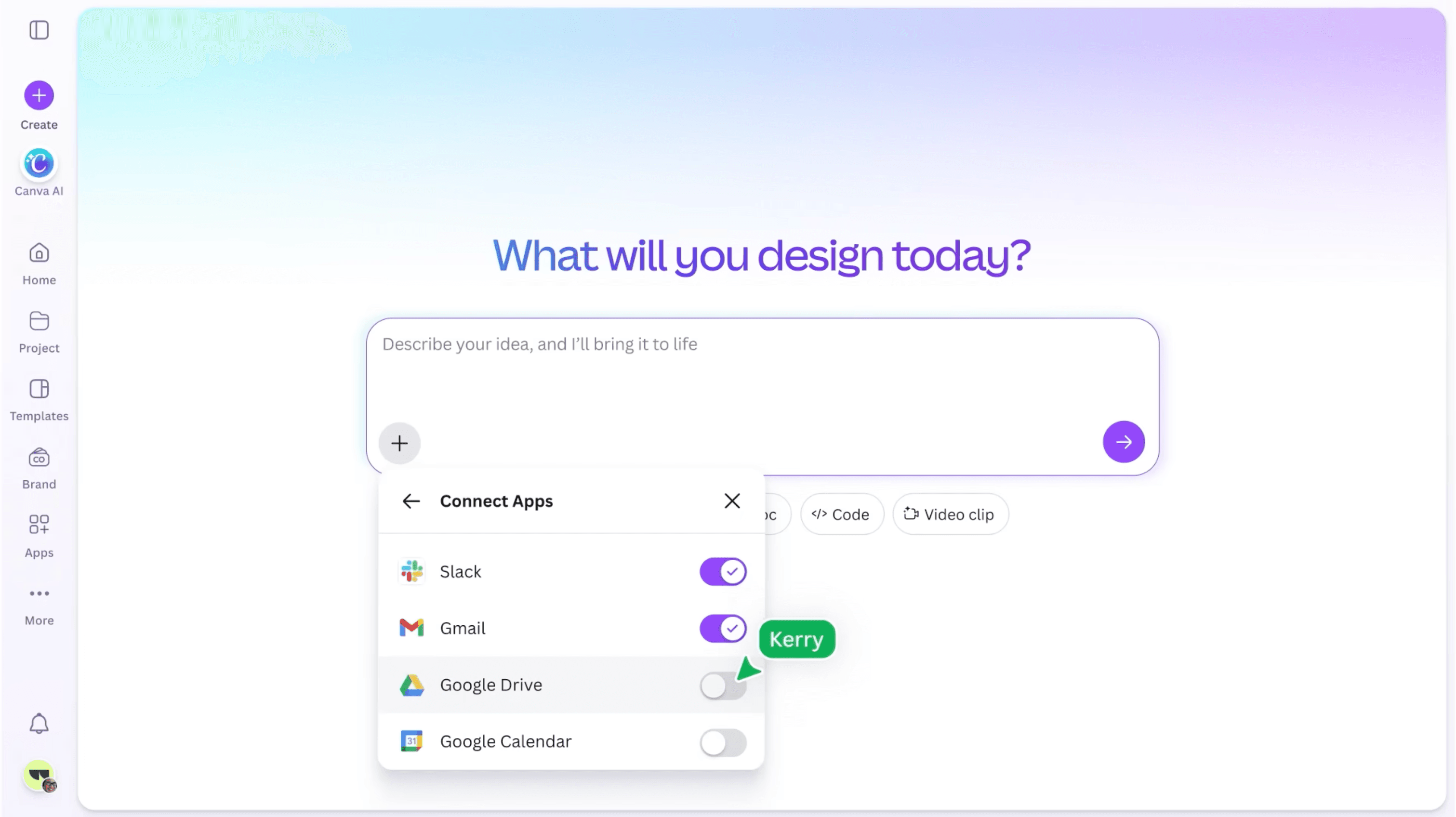
Bringing people's tools into Canva AI: the first MCP connectors, designed end to end and shipped in one month for Canva Create 2026.
Late 2024 – Present
// 01 — problem
Problem
Canva AI is only as useful as the context it can reach.
People's work starts in Slack threads, emails, docs and calendars. Canva AI needed to reach that context through MCP connectors, and the first version had to be ready in about a month, in time for Canva Create 2026.
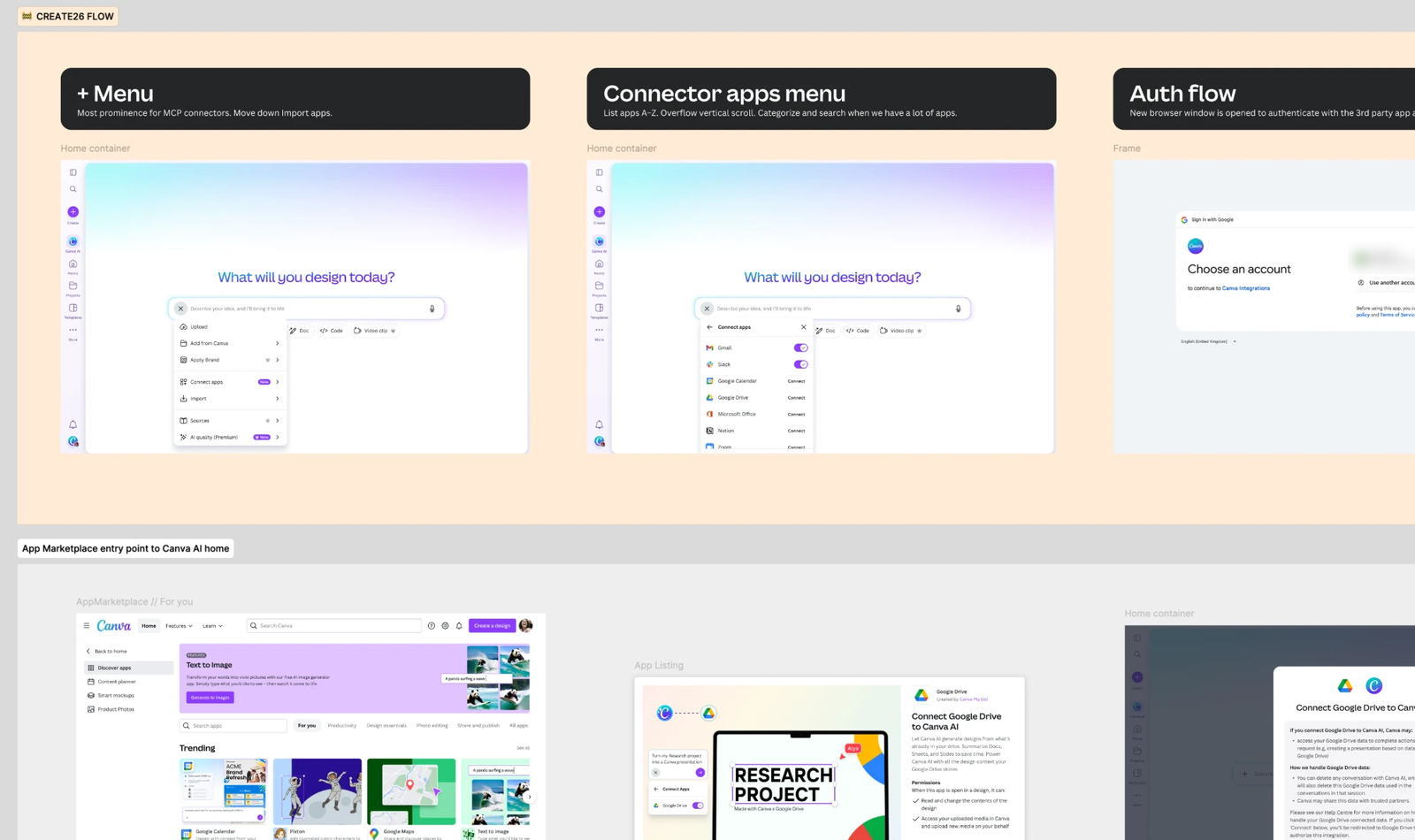
The journey crossed team boundaries: discovering a connector, authenticating, using its read tools in a conversation, and managing connected apps. Enterprise customers add another layer. Each runs its own MCP server, admins need control over what connects, and developers have to configure OAuth, client secrets and scopes for a protocol many are still learning.
// 02 — solution
Solution
Shape the MVP end to end, in one month.
I shaped the MVP across the full flow, from discovery in the Canva AI composer to authentication, read tools and app management. I worked across multiple engineering teams, legal and QA to close last-minute edge cases, such as presenting Google's legal terms in the UI.
Make enterprise MCP setup simpler for developers.
I'm now designing how Canva AI connects to enterprise MCP servers, with a focus on making setup simpler and more guided for developers who are still learning the protocol.
Prototype in code so several teams can move at once.
I design mostly in code, with Claude Code as a creative partner. Stakeholders review working prototypes rather than specs, which lets me run connector workstreams in parallel across developer experience, discovery, UI tools and admin.
It started from the other direction: Canva in Claude.
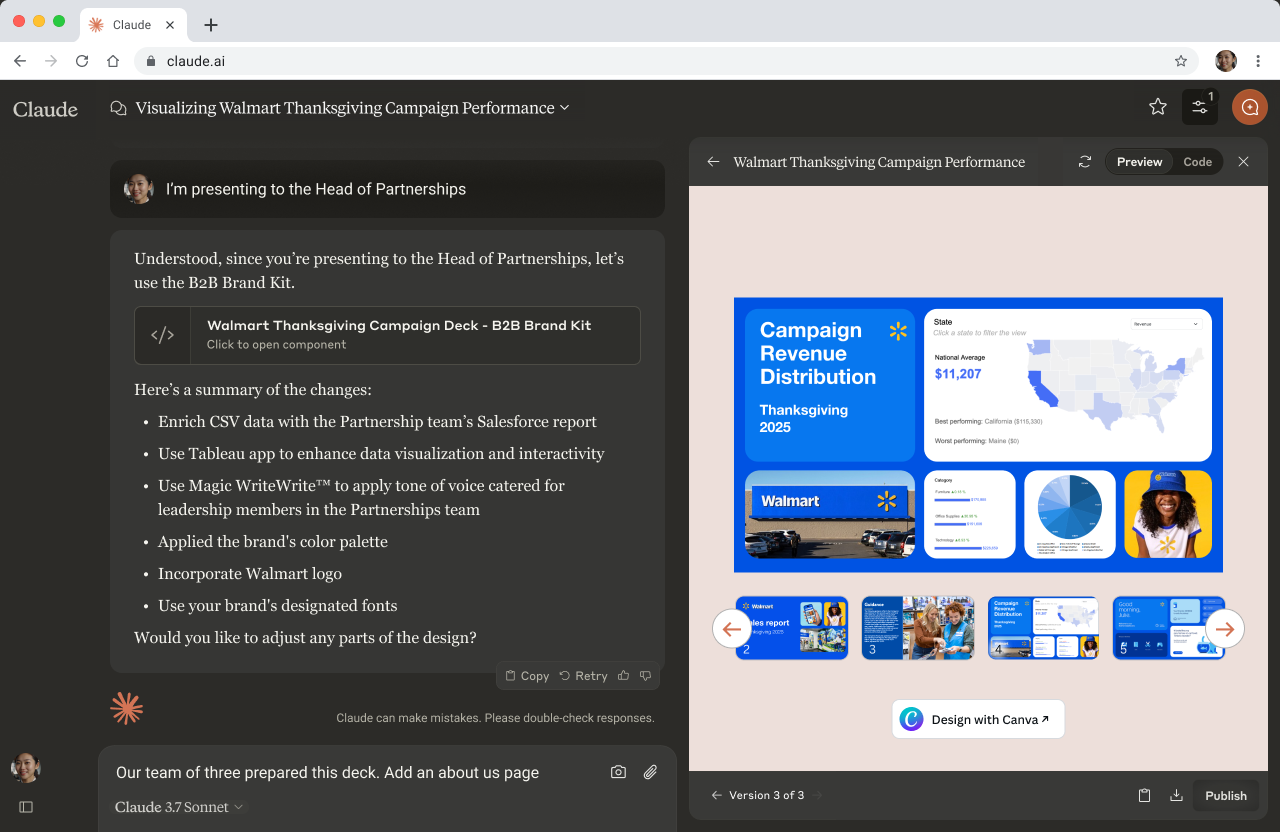
In late 2024 I was one of the first two designers on Canva's experience in Claude. Embedding the editor wasn't possible and static images weren't engaging, so I pitched and prototyped a React artifact that emulated Canva's editor preview. That approach launched in 2025 and carried into Canva's experience in ChatGPT.
// 03 — results
Results
Shipped in a month and announced on stage at Create.
- The first connectors in Canva AI were announced on stage at Canva Create 2026.
- I now lead connectors design in Canva AI across developer experience, discovery, UI tools and capabilities, and admin experience.
- The Claude artifact pattern carried into ChatGPT and informed later assistant integrations.
// 04 — lessons
Lessons
Show the whole journey, and developer experience becomes user experience.
Keeping the whole journey in one working prototype let the team see the experience end to end, including how developer experience shapes user experience. A developer's setup choices decide what their users see when they connect, so I designed the developer experience to help developers think about that impact, and gave them the right controls to improve it and retain more of their users.
Authentication is complex, and I coached team members through the flow using the prototype. Seeing it work end to end made it easier to rally the team around designing for developer experience, not just the end-user screens.